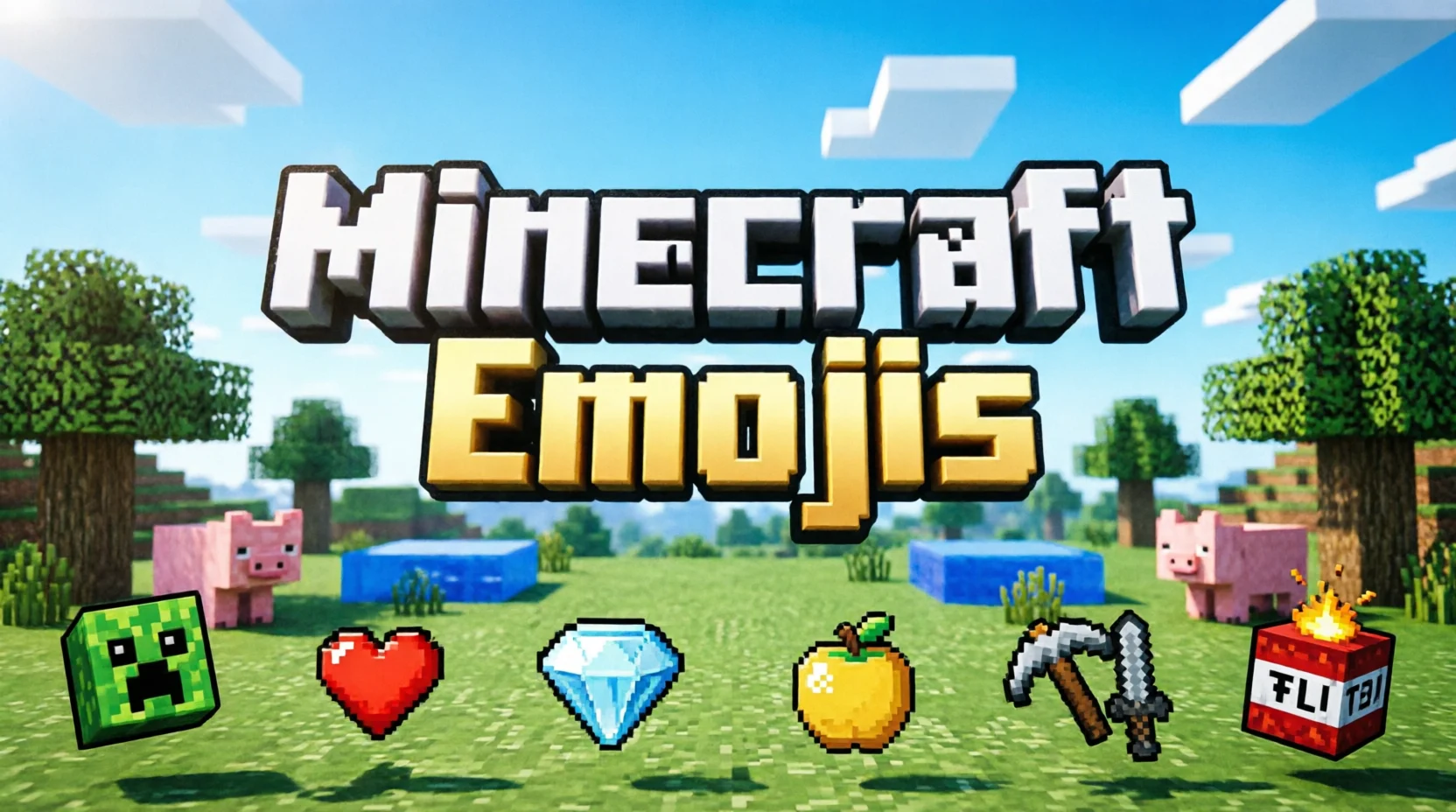
Minecraft emojis are fun symbols, pictures, and text-based icons that help players express their love for Minecraft in chats, usernames, social media posts, and gaming communities. From pickaxes and diamonds to Creepers, TNT, and grass blocks, these symbols make conversations more creative and recognizable.
Although Minecraft does not have one universal emoji set that works everywhere, players can use standard Unicode emojis, decorative text symbols, custom server emojis, and Minecraft-themed stickers to represent their favorite game.
If you want Minecraft emojis for Discord, a gaming profile, a YouTube description, or a message to a friend, understanding the available options makes it easier to find the right symbol.
Quick Answer: What Are Minecraft Emojis?
Minecraft emojis are standard emojis, text symbols, custom icons, and stickers that represent Minecraft items, mobs, blocks, tools, and gameplay. Examples include 💎 for diamonds, ⛏️ for mining, 🧱 for building, 💚 for Creepers, and 💥 for explosions.
You can copy standard emojis directly into messages or use custom Minecraft emoji packs on supported platforms. However, most Minecraft characters and blocks do not have official, dedicated Unicode emojis.
What Do Minecraft Emojis Mean?
Minecraft emojis communicate familiar game activities, items, and experiences without requiring a long explanation. Their meanings depend on the context of the conversation.
For example, a diamond emoji can represent finding valuable loot, while a pickaxe can suggest mining or gathering resources. A green heart might represent a Creeper, Minecraft’s green grass blocks, or simply a player’s favorite color.
Here are some common interpretations:
| Emoji | Minecraft meaning | Common use |
| 💎 | Diamonds and valuable loot | Celebrating a rare find |
| ⛏️ | Mining and gathering resources | Talking about caves or ores |
| 🧱 | Building and construction | Sharing a building project |
| 🟩 | Grass blocks or green blocks | Representing Minecraft terrain |
| 💚 | Creepers or green-themed builds | Joking about dangerous mobs |
| 🗡️ | Weapons and combat | Discussing battles |
| 🛡️ | Defense and protection | Talking about survival gear |
| 🐺 | Wolves and pets | Sharing animal adventures |
| 🐷 | Pigs and farming | Discussing farms or mobs |
| 🔥 | Lava, fire, or Nether adventures | Describing dangerous situations |
| 💥 | TNT and explosions | Sharing chaotic gameplay |
| 🏹 | Bows and ranged combat | Discussing combat strategies |
| 🧪 | Potions and brewing | Talking about magical effects |
| 🌳 | Trees and wood gathering | Describing early-game activities |
| 🏠 | Houses and bases | Sharing building ideas |
These are creative representations rather than official Minecraft-specific emoji definitions. Standard emojis may look different across devices, so custom icons are useful when you want a closer match to the game’s distinctive visual style.
Popular Minecraft Emojis to Copy and Paste
If you need Minecraft-themed emojis quickly, the following collections are easy to copy into compatible chats, captions, and profiles.
Mining and Resource Emojis
Mining is one of Minecraft’s most recognizable activities. Use these symbols when discussing caves, ores, tools, and valuable materials.
Copy and paste:
⛏️ 💎 🪨 🪵 🧱 🪓 🪙 🔦
Example:
“Found diamonds after an hour of mining! ⛏️💎”
Minecraft Mob Emojis
Mobs are creatures that players encounter throughout the game. While most Minecraft mobs do not have their own standard Unicode emojis, similar symbols can represent them.
Copy and paste:
🐺 🐷 🐑 🐄 🐔 🐈 🐟 🐢 🦇 🐝 💚
Example:
“Time to build a safe home for my pets! 🐺🐑🏠”
You can also use custom Creeper, Enderman, Zombie, Skeleton, and Ender Dragon icons when your platform supports them.
Combat and Survival Emojis
Combat symbols are useful for discussing hostile mobs, weapons, armor, and survival challenges.
Copy and paste:
⚔️ 🗡️ 🛡️ 🏹 💥 ❤️ 🔥 🧪
Example:
“Night is coming, and I need better armor! 🛡️⚔️❤️”
Building and Decoration Emojis
Minecraft lets players build everything from small starter houses to enormous castles. These emojis can help describe your creations.
Copy and paste:
🧱 🏠 🏰 🌳 🌷 🌻 💡 🪟 🪜
Example:
“Finished my new survival base! 🏠🌳💡”
Funny Minecraft Emojis
Minecraft is also full of unexpected moments, failed jumps, creeper explosions, and funny survival mistakes.
Copy and paste:
😂 💀 😱 🤯 💚 💥 🐔 🐷
Example:
“That Creeper destroyed my entire house! 💚💥💀”
In gaming conversations, 💀 often means that something is extremely funny or shocking rather than indicating literal death.
Minecraft Emoji Combinations for Chats and Profiles
Individual emojis are useful, but combinations can communicate a complete idea. They are especially helpful for Discord statuses, social media captions, gaming bios, and video descriptions.
| Emoji combination | Meaning |
| ⛏️💎✨ | Finding diamonds |
| 🏠🧱🌳 | Building a survival base |
| 💚💥😱 | A Creeper explosion |
| ⚔️🛡️❤️ | Preparing for combat |
| 🌋🔥🪨 | Exploring dangerous terrain |
| 🐺❤️🏠 | Caring for a tamed wolf |
| 🧪✨💜 | Brewing or using potions |
| 🏹💀⚔️ | Fighting hostile mobs |
| 🪵⛏️🏠 | Starting a new survival world |
| 🐉🔥🏆 | Defeating a powerful boss |
| 🌊🐟🛶 | Exploring oceans |
| 🧱🏰✨ | Creating an impressive castle |
These combinations are not official game symbols. They are creative ways to express familiar Minecraft experiences using the emojis available on your device.
Are There Official Minecraft Emojis?
The answer depends on what you mean by official.
Minecraft has distinctive pixel-art characters, blocks, tools, and items. However, there is no dedicated Unicode emoji for every recognizable Minecraft element. Unicode is the standard that defines the emoji characters commonly used across phones, computers, and messaging applications.
For example, 💎 is a standard emoji that can represent a Minecraft diamond, but it does not reproduce the game’s actual diamond texture.
Minecraft-themed images and custom emoji packs are different. These may contain recognizable Creeper faces, grass blocks, Steve, Alex, Endermen, or other game-related artwork.
It is useful to distinguish between three categories:
- Standard Unicode emojis: Symbols such as 💎, 🔥, 🛡️, and 🐺 that work on many platforms.
- Text symbols: Decorative characters that can be copied into usernames, bios, and messages, depending on platform restrictions.
- Custom Minecraft emojis: Images or icons uploaded to supported services, often designed to resemble in-game textures.
A custom emoji may look much closer to Minecraft’s original art, but it will not necessarily work outside the platform where it is hosted.
How to Use Minecraft Emojis on Different Platforms
Minecraft emojis can be used in many places, but the available options depend on the application and its rules.
Minecraft Emojis on Discord
Discord is a popular place for Minecraft-themed emojis, especially in multiplayer communities.
To use them:
- Open a Discord server that has Minecraft-themed custom emojis.
- Open a text channel where you can send messages.
- Select the emoji button near the message box.
- Choose an available custom emoji or type its supported name.
- Send your message.
You can also use standard emojis such as 💎, ⛏️, and 🧱 without uploading a custom pack.
Custom emoji access depends on server permissions and Discord’s current features. Some custom emojis may have restrictions when used outside their original server.
Minecraft Emojis on YouTube
Minecraft creators can use standard emojis in video titles, descriptions, comments, and community posts where supported.
Examples include:
- “I Found Diamonds! 💎⛏️”
- “My Biggest Minecraft Castle 🏰”
- “Creeper Explosion Gone Wrong 💚💥”
- “Surviving 100 Days in Minecraft 🌳⚔️”
Use emojis to support the meaning of your text rather than filling every title with symbols. A few relevant emojis can make a gaming title more expressive without making it difficult to read.
Minecraft Emojis on Instagram and TikTok
You can use Minecraft-related emojis in captions, bios, comments, and short-video descriptions.
For example:
“Building my dream survival base 🧱🏠✨”
“Never trust a Creeper 💚💥”
“Diamond hunting at midnight ⛏️💎”
Standard Unicode emojis generally work across these platforms, although their appearance may vary. Custom Minecraft stickers or images may also be available through platform-specific features.
Minecraft Emojis in Usernames and Gaming Bios
A Minecraft-themed bio can combine simple symbols with a short description of your play style.
Examples:
- ⛏️ Diamond Hunter 💎
- 🧱 Creative Builder 🏰
- ⚔️ Survival Player 🛡️
- 🌳 Explorer | 💎 Miner
- 💚 Creeper Fan 💥
Before using special characters in a Minecraft username, check the current username rules. Minecraft does not allow every emoji or decorative Unicode character in its in-game usernames, even if the same symbol works in a social media profile.
How to Get Custom Minecraft Emojis
If standard emojis do not look enough like the game, custom images offer a closer alternative.
1. Look for Minecraft-Themed Emoji Packs
Search for packs featuring blocks, mobs, tools, and other recognizable game elements. Choose sources you trust and check the creator’s usage terms, particularly if you plan to use the artwork commercially.
2. Use Platform-Specific Emoji Libraries
Some chat platforms let communities upload custom images. These libraries can include Creeper faces, pixelated hearts, swords, diamonds, and other Minecraft-inspired designs.
Check the platform’s supported image formats, file-size limits, and permission requirements before uploading anything.
3. Create Your Own Minecraft-Inspired Icons
If you want a unique look for your gaming server or profile, you can design original pixel-art icons inspired by the block-based aesthetic.
Consider creating a small collection with a consistent visual style:
- A green pixelated monster face
- A blue gemstone
- A brown-and-green grass block
- A pixelated sword
- A red explosive block
Make sure you have the necessary rights to use any existing artwork you incorporate. Creating original designs can help your community develop its own identity.
Minecraft Emojis vs. Minecraft Texture Icons
Minecraft emojis and in-game textures serve different purposes.
| Feature | Standard emojis | Custom emoji images | In-game textures |
| Main purpose | Messaging and expression | Chat and community branding | Displaying game objects |
| Works across platforms | Usually, with visual differences | Depends on platform support | Primarily within the game |
| Looks like original Minecraft art | Not usually | Often, if designed that way | Yes, when using the relevant texture |
| Requires installation | Usually no | Sometimes | Depends on the game setup |
| Can represent every game item | No | Potentially, with a large collection | Depends on available assets |
A texture pack changes the appearance of game elements, while an emoji pack provides small images for communication. A texture image does not automatically become an emoji that you can insert into a Discord message or phone keyboard.
Common Mistakes When Using Minecraft Emojis
A few simple mistakes can make Minecraft-themed messages confusing or cause symbols to display incorrectly.
Assuming Every Emoji Is Official
A diamond emoji can represent a Minecraft diamond, but that does not make it an official Minecraft icon. Check whether a symbol is a standard emoji, a custom image, or artwork created by a fan.
Expecting Custom Emojis to Work Everywhere
An emoji uploaded to a Discord server may not be available in Minecraft chat, on Instagram, or in your phone’s keyboard. Use standard Unicode emojis when broad compatibility matters.
Adding Too Many Emojis
A caption filled with unrelated symbols can become difficult to read. Choose two or three relevant emojis that match the message.
Ignoring Username Restrictions
A decorative character may work in a Discord nickname but be rejected in a Minecraft username. Always check the rules for the specific service.
Downloading Files From Untrusted Sources
Avoid downloading unknown executables or applications just to get a set of gaming emojis. Prefer reputable sources, check file types, and review permissions before installing anything.
Practical Tips for Choosing the Best Minecraft Emojis
Use these suggestions to make your gaming messages clearer and more attractive.
- Match the emoji to the activity. Use ⛏️💎 for mining, 🧱🏠 for building, and ⚔️🛡️ for combat.
- Keep combinations simple. Two to four symbols are often enough to communicate an idea.
- Consider your audience. A public gaming profile may benefit from familiar Unicode emojis, while a private community can use custom icons.
- Test symbols before publishing. Check how they appear on desktop and mobile devices.
- Use consistent styling. Pixel-art custom emojis look especially good together when their colors, outlines, and dimensions match.
- Respect artwork permissions. Do not assume that every Minecraft-themed image is free to redistribute or use commercially.
- Keep important text readable. Emojis should add personality without hiding the actual meaning of your message.
FAQs:
1. What are the best emojis for Minecraft?
Popular choices include 💎 for diamonds, ⛏️ for mining, 🧱 for building, 💚 for Creepers, ⚔️ for combat, and 🏠 for bases. The best option depends on what you want to communicate.
2. Is there a Minecraft Creeper emoji?
There is no dedicated standard Unicode emoji specifically for the Minecraft Creeper. You can represent it with 💚 or use a custom Creeper image on a platform that supports custom emojis.
3. Can I copy and paste Minecraft emojis?
Yes. Standard emojis such as 💎, ⛏️, 🧱, and 🛡️ can usually be copied and pasted into supported applications. Custom Minecraft icons may require an image upload or platform-specific emoji feature.
4. How do I get Minecraft emojis on Discord?
You can use standard emojis directly or select custom Minecraft emojis available in a Discord server. Uploading custom icons requires the appropriate permissions and must follow Discord’s current requirements.
5. Can I use Minecraft emojis in my Minecraft username?
Most ordinary emojis are not accepted in Minecraft Java Edition usernames. Other profile fields and third-party services may have different rules, so check the restrictions for the exact username or display-name field you want to edit.
6. Are Minecraft emojis free?
Standard Unicode emojis are generally available without additional cost on supported devices. Custom emoji packs may be free or paid, depending on the creator and platform. Always review licensing terms before using custom artwork commercially.
7. What emojis represent Minecraft diamonds?
The 💎 emoji is the most recognizable general-purpose choice for diamonds. You can combine it with ⛏️, ✨, or 🪨 to describe mining, finding valuable loot, or exploring underground.
8. Can I use Minecraft emojis on YouTube and Instagram?
Yes. Standard emojis can generally be used in supported titles, captions, comments, and bios. Custom Minecraft images may require separate platform features, and their availability depends on the service.
Conclusion
Minecraft emojis are an easy way to add personality to gaming conversations, social media posts, Discord servers, and player profiles. Symbols such as 💎, ⛏️, 🧱, 💚, and ⚔️ can represent diamonds, mining, building, Creepers, and combat. Although these are not all official Minecraft icons, they help players communicate familiar game experiences quickly and creatively.
For the best results, choose emojis that match your message, keep combinations readable, and use custom pixel-art icons when you need a more authentic Minecraft appearance. If you are a builder, explorer, miner, or survival enthusiast, the right Minecraft-themed symbols can make your gaming identity more expressive.




2 thoughts on “Minecraft Emojis: Meanings, Symbols, and How to Use (2026)”